
10 Ways Mobile Application Development Companies Design Apps for Field Employees
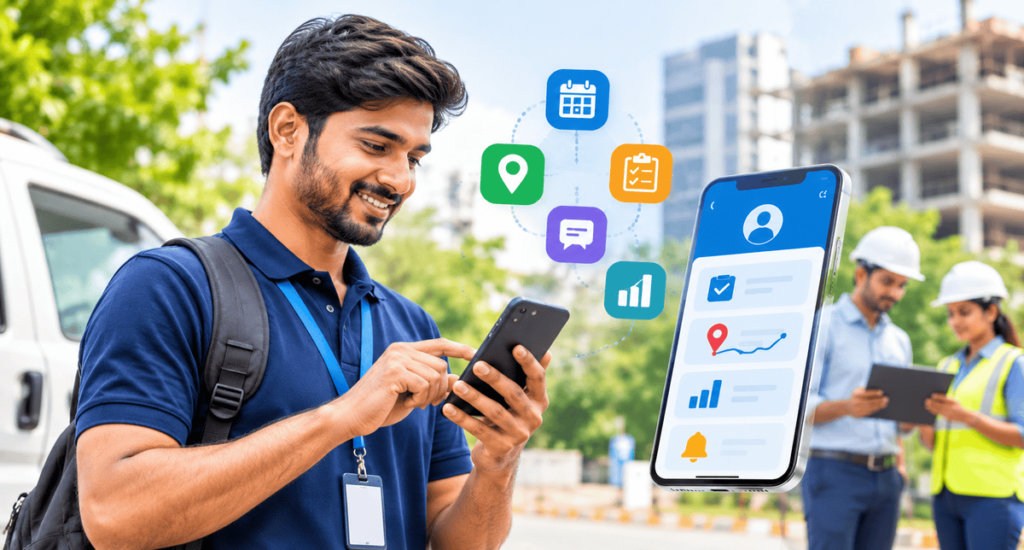
Employees who work outside the office need more than a basic mobile application to manage their daily responsibilities. Sales representatives, field technicians, delivery executives and on-site supervisors require convenient access to work assignments, customer information and real-time updates. This is why mobile application development companies focus on creating applications that support employees across different working locations.
Choosing the right mobile application development companies can help businesses develop applications that simplify communication, improve task management and reduce manual work. A well designed mobile app allows employees to receive instructions, submit reports, access important documents and stay connected with office teams. WebBirth helps businesses explore custom mobile app development solutions that support their operational requirements and make everyday work easier.
Why Do Businesses Need Mobile Application Development Companies?
Managing employees who work outside the office can be challenging. Managers may not always be able to communicate with every employee directly, and workers may need to travel between different locations throughout the day. Traditional communication methods, such as phone calls, spreadsheets and paper-based reports, can make these activities difficult to manage. Professional mobile application development companies help businesses overcome these challenges by developing applications that connect field employees with their office teams.
A dedicated employee mobile application can provide:
Better communication: Employees can receive instructions and important updates directly through the application.
Easy task management: Workers can check assigned responsibilities, deadlines and task progress.
Faster reporting: Employees can submit photographs, documents and work updates from their mobile devices.
Improved coordination: Managers can access employee updates and organise work more efficiently.
Reduced paperwork: Digital forms and reports help minimise manual documentation.
For businesses with employees working across multiple locations, a custom mobile application can make daily operations more organised.
How Do Mobile Application Development Companies Understand Employee Needs?
Before starting development, an application development team should understand how employees perform their daily activities. Every business has different requirements, and the application should reflect the actual working environment. A mobile app designed for sales representatives may not have the same requirements as one developed for construction supervisors or field technicians.
Identify the different employee roles
Start by understanding who will use the application and what they need to accomplish.
For example:
Sales representatives: Customer information, appointment schedules and sales reports.
Field technicians: Service requests, maintenance records and job completion forms.
Delivery employees: Order details, delivery addresses and delivery status updates.
Site supervisors: Inspection checklists, photographs and project progress reports.
Identifying these requirements helps developers select the right features for each employee group.
Understand daily working activities
Businesses should also study how employees complete their responsibilities. Find out which activities take the most time, where communication problems occur and what information employees regularly need. This information helps a development team create a practical application instead of adding unnecessary features.
What Features Should Mobile Apps for Field Employees Include?
The right features make an employee application useful and easy to manage. A professional app making company should focus on features that solve actual workplace problems.
Here are some important features businesses should consider.
1. Secure Employee Login
Employees should have a secure and convenient way to access the application. Role-based access allows different employees to use the features relevant to their responsibilities. For example, a technician can access service requests, while a supervisor may also view team reports.
2. Task Assignment and Management
Task management is one of the most useful features for employees working outside the office. Employees should be able to view their assigned responsibilities, deadlines and instructions without depending on repeated phone calls.
Important functions include:
Assigned tasks and job descriptions.
Task priorities and deadlines.
Pending, ongoing and completed status.
Work updates and completion notes.
These features help employees organise their responsibilities and allow managers to understand task progress.
3. GPS-Based Location Services
Businesses managing employees across different locations may benefit from location-based functionality.
Depending on business requirements, GPS features can support:
Location-based attendance.
Field visit verification.
Service location navigation.
Location-specific task updates.
Location permissions should be transparent, and businesses should collect location information only when it is necessary for the intended work activity.
4. Push Notifications and Real-Time Updates
Employees need to receive important information without constantly checking the application.
Push notifications can be used for:
New task assignments.
Schedule changes.
Customer appointment updates.
Important instructions.
Approval requests.
A well-planned notification system helps employees stay informed and reduces communication delays.
5. Digital Reporting and Document Uploads
Field employees often need to provide proof of completed work. The application should allow them to upload photographs, documents, digital forms and completion reports. This reduces paperwork and gives office teams quicker access to important information.
How Can Mobile Application Development Companies Design Apps for Offline Use?
Employees do not always work in places with reliable internet connectivity. They may travel to rural areas, construction sites, remote service locations or buildings with weak network coverage. An application that requires a continuous internet connection may become difficult to use in these situations. This is why an experienced app making company should consider offline app functionality during the design and development process.
A useful offline experience should allow employees to:
View previously downloaded task information.
Complete selected forms without an internet connection.
Save notes and work updates locally.
Capture photographs and relevant information.
Synchronise saved information when internet connectivity returns.
How Does a Mobile App Designing Company Improve User Experience?
A mobile application should be easy to understand, especially for employees who use it while travelling or completing on-site responsibilities. A complicated interface can slow down daily activities and make employees less comfortable using the application. A professional mobile app designing company should focus on simple navigation, clear layouts and convenient access to important features.
Some useful design practices include:
Keep the interface simple
Frequently used features should be easy to find. Employees should not have to open multiple screens to complete basic activities.
Use clear buttons and instructions
Actions such as Start Task, Submit Report and Complete Job should be clearly displayed.
Make the application mobile-friendly
The application should work properly across different smartphone screen sizes and supported devices.
Improve readability
Use appropriate font sizes, spacing and colour contrast so employees can read information comfortably.
Reduce unnecessary steps
Employees should be able to complete common activities with fewer interactions. The main objective is to create a user-friendly mobile interface that supports employees during their actual working hours.
How Do Mobile Application Development Companies Protect Employee Data?
Employee mobile applications may contain customer details, business information, internal documents and work reports. Protecting this information should be an important part of application development. Businesses should discuss security requirements with their development team before the application is launched.
Important security considerations include:
Secure employee authentication.
Role-based access permissions.
Encrypted data transmission.
Secure storage of sensitive information.
Automatic session timeouts where appropriate.
Regular security testing and application updates.
Businesses should also have a clear process for removing application access when an employee leaves the organisation or changes responsibilities. Security should not be treated as an additional feature. It should be included throughout the mobile application development process.
Which Platform Should Mobile Application Development Companies Choose?
The choice of platform depends on the devices employees use and the organisation’s operational requirements.
Android applications: Android may be suitable when employees use different smartphone models across the organisation. Businesses should consider device compatibility and performance.
iOS applications: iOS may be appropriate when employees use Apple devices or when a company has standardised its workforce on iPhones.
Cross-platform applications: These applications can support both Android and iOS through a shared development approach, depending on the technical requirements.
Before selecting a platform, businesses should evaluate:
Employee device availability.
Application performance requirements.
Hardware and software compatibility.
Development and maintenance costs.
Future expansion requirements.
The right platform should make the application accessible to employees without creating unnecessary technical complexity.
How Can Apps Improve Field Workforce Management?
A mobile workforce management application should help managers understand what is happening in the field without creating additional reporting work for employees. A central dashboard can display important operational information in one place.
For example, managers may be able to view:
Assigned and completed tasks.
Pending work and delayed activities.
Employee attendance records.
Submitted reports and documents.
Customer visits and service updates.
This information helps managers identify delays, distribute responsibilities and make better operational decisions. For employees, the same application provides a convenient way to receive assignments, update task status and communicate with office teams. The goal is to improve coordination without making employees feel that they are spending more time reporting work than completing it.
How Do App Development Agencies Test Mobile Applications?
Testing is an important stage because employees may use the application across different devices, network conditions and working environments. An experienced app development agency should check whether the application performs properly before introducing it to the entire workforce.
Here are five important testing areas:
1. Functional testing: Check whether login, task assignments, notifications, reporting and other features work correctly.
2. Device testing: Verify the application across different screen sizes and supported operating systems.
3. Network testing: Test application performance with slow, unstable or unavailable internet connections.
4. Usability testing: Ask actual employees to use the application and identify confusing screens or unnecessary steps.
5. Security testing: Check authentication, permissions and data protection measures.
Businesses can also conduct a pilot launch with a small group of employees. Their feedback can help developers identify practical issues before the application is introduced across the organisation.
How Do You Choose the Right Mobile Application Development Company?
Choosing the right development partner is an important decision for businesses planning a custom employee application. Many mobile application development companies offer different services, but businesses should look beyond the number of features they promise. The development team should understand employee workflows and create a solution that supports actual business requirements.
Consider these factors before selecting a development partner:
Understanding of business requirements: Can the team understand your employee workflows and operational challenges?
UI/UX design capabilities: Can they create a simple interface suitable for employees working outside the office?
Custom development experience: Can they develop features according to your business processes?
Integration capabilities: Can the application connect with existing business systems where required?
Testing and support: Do they provide proper testing, maintenance and technical assistance?
An experienced development partner should also discuss future improvements so the application can grow with changing business requirements.
Businesses searching for mobile application development companies in Bangalore should evaluate technical expertise, communication processes, development experience and the ability to build custom business applications.
Conclusion
Designing mobile applications for employees who work outside the office requires a clear understanding of their daily activities, working environments and communication needs. Features such as task management, GPS-based services, offline functionality, digital reporting and secure access can make field operations easier to manage. Choosing the right mobile application development companies is equally important because the development team should understand your business requirements and turn them into a practical mobile solution. The objective is not to add as many features as possible but to create an application that employees can use comfortably while completing their everyday responsibilities.
WebBirth helps businesses explore custom mobile app development solutions that align with their operational needs. Whether you are planning an application for field technicians, sales representatives or a larger mobile workforce, WebBirth can help you take the next step towards a more connected and organised working environment.
Frequently Asked Questions
1. What do mobile application development companies do?
Mobile application development companies design, develop, test and maintain mobile applications for businesses. They create applications based on specific requirements, such as employee management, customer communication, field operations and business automation.
2. What features should a mobile app for field employees have?
Important features include secure login, task management, GPS-based services, attendance tracking, push notifications, digital reporting and offline functionality. The final feature list depends on employees’ responsibilities.
3. Can employees use mobile applications without internet access?
Yes. Developers can include offline functionality that allows employees to access selected information, save reports and complete certain tasks without an active internet connection. Saved information can synchronise when connectivity becomes available.
4. How do mobile applications improve field employee productivity?
Mobile applications reduce manual reporting, simplify task management and provide quick access to work information. They also help employees communicate with managers and update task progress from different locations.
5. How much does it cost to develop an employee mobile application?
The cost depends on the application’s features, design complexity, platform requirements, integrations and security needs. A basic employee application will generally require a different budget from a custom workforce management solution.