
From Layout to Navigation: Key UI/UX Elements for Higher Engagement
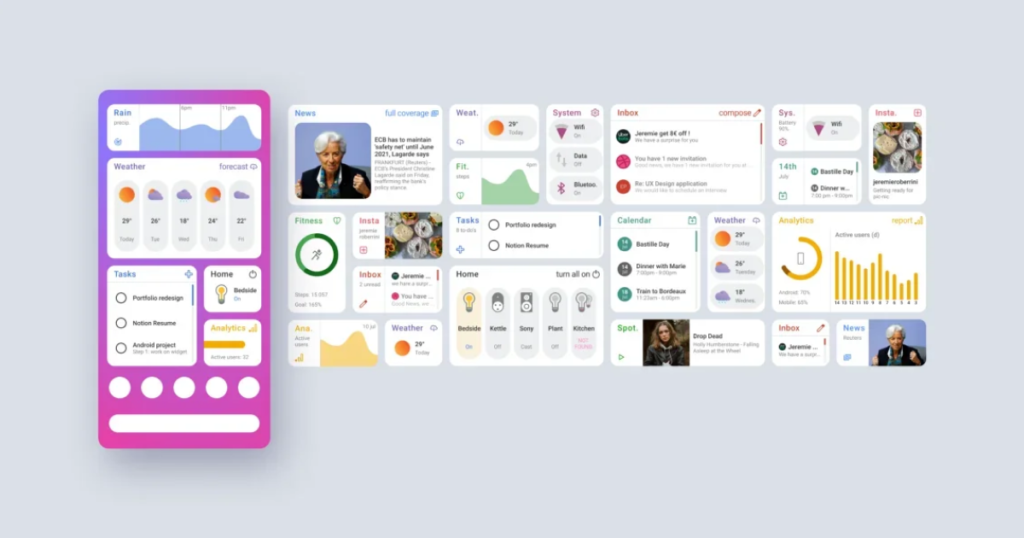
In today’s digital-first world, users decide within seconds whether to stay on a website or leave. A visually appealing design alone is not enough-UI (User Interface) and UX (User Experience) work together to guide users, keep them engaged, and convert visits into actions. From layout structure to intuitive navigation, every UI/UX element plays a crucial role in engagement and performance.
Let’s explore the key UI/UX elements that drive higher user engagement and better results.
1. Clean and Purpose-Driven Layout
A well-structured layout helps users quickly understand your website’s purpose. Cluttered pages overwhelm visitors, while clean layouts improve readability and focus.
Best practices include:
Clear visual hierarchy
Consistent spacing and alignment
Logical content flow
Prominent call-to-action (CTA) placement
A strong layout ensures users know where to look and what to do next.
2. Intuitive Navigation Structure
Navigation is the backbone of user experience. If users struggle to find information, engagement drops instantly.
Effective navigation includes:
Simple and clearly labeled menus
Logical page grouping
Sticky or fixed navigation for easy access
Mobile-friendly menu designs
Smooth navigation reduces friction and keeps users exploring longer.
3. Responsive and Mobile-First Design
With most users browsing on mobile devices, responsive design is no longer optional. A mobile-first approach ensures consistency across all screen sizes.
Key benefits:
Better usability on smartphones and tablets
Improved search engine rankings
Lower bounce rates
Designing for mobile first leads to cleaner, more focused interfaces overall.
4. Fast Loading Speed and Performance
Page speed directly impacts user engagement. Slow-loading websites frustrate users and increase abandonment rates.
UI/UX optimization tips:
Optimize images and media files
Minimize unnecessary animations
Use clean, efficient code
Faster websites create smoother user experiences and improve retention.
5. Clear Call-to-Actions (CTAs)
CTAs guide users toward desired actions such as signing up, contacting, or purchasing. Poorly designed CTAs lead to missed conversions.
High-performing CTAs are:
Visually distinct
Action-oriented in language
Strategically placed
Clear CTAs turn engagement into measurable results.
6. Consistent Visual Design and Branding
Consistency builds trust. Fonts, colors, buttons, and icons should follow a unified design system across the website.
Why consistency matters:
Improves brand recognition
Enhances usability
Creates a professional impression
A cohesive design makes navigation intuitive and enjoyable.
7. Readable Typography and Color Contrast
Text should be easy to read across devices. Poor typography reduces content consumption and engagement.
Typography best practices:
Use legible font sizes
Maintain sufficient color contrast
Limit font variations
Good typography keeps users reading longer.
8. User Feedback and Microinteractions
Subtle animations and feedback enhance usability and user satisfaction.
Examples include:
Button hover effects
Loading indicators
Form validation messages
These microinteractions reassure users and make interactions feel responsive and human.
9. Accessibility and Inclusive Design
Accessible design ensures everyone can use your website, including users with disabilities.
Key considerations:
Alt text for images
Keyboard-friendly navigation
Proper contrast and readable fonts
Accessibility improves usability for all users and supports compliance standards.
Conclusion
High engagement doesn’t happen by chance—it’s built through thoughtful UI/UX design. From clear layouts and intuitive navigation to performance optimization and accessibility, every element shapes how users interact with your website.
By focusing on user-centric UI/UX principles, businesses can improve engagement, boost conversions, and create memorable digital experiences that keep users coming back.